 Anime4Nerd
Sharper anime,
right in your browser.
Anime4Nerd runs the original Anime4K networks on any web video, live, on your own GPU. Switch a video on and every frame is restored and upscaled 2×.
Drag to compare.
A 225p anime frame scaled to 2×. Left: the browser's normal scaling. Right: Anime4K A+A with darken lines, produced by the extension's own pipeline.

 browser scaling
anime4nerd · a+a
browser scaling
anime4nerd · a+a
“A snapshot from the 2012 demo release from the Morevna Project” by Morevna Project, CC BY 3.0. Cropped and upscaled; no endorsement implied.
Five passes per frame.
The shaders are bloc97's Anime4K, copied unchanged from the open-source project. Anime4Nerd reads their mpv shader format and runs each pass through WebGL2, once per decoded video frame.
Video frame
The current frame is copied from the page's video into GPU memory.
Clamp highlights
Limits bright overshoot so later passes do not ring around edges.
Restore CNN
A small neural network repairs blur and compression on lines.
Upscale CNN ×2
A second network doubles width and height, predicting the new pixels.
Overlay
The result is drawn on a canvas laid exactly over the player.
Pick the look.
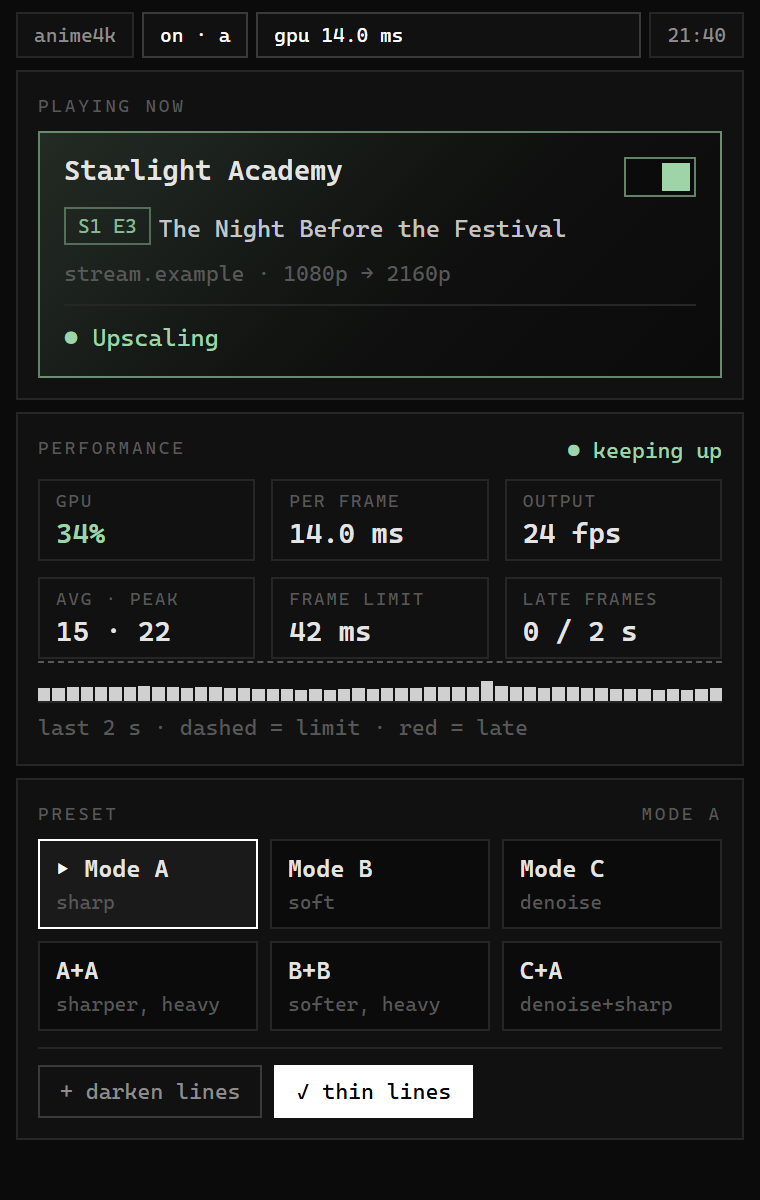
The six original Anime4K preset chains. GPU time is measured per frame on an RTX 2060 upscaling 1080p to 2160p; a 24 fps video allows 41.7 ms per frame.
| Preset | What it does | Best for | GPU per frame |
|---|---|---|---|
| Mode A | Restore, then 2× upscale | most 1080p | |
| Mode B | Soft restore, then 2× upscale | clean sources | |
| Mode C | Denoise and 2× upscale | noisy video | |
| A + A | Mode A plus a second restore | soft 720p | |
| B + B | Mode B plus a second soft restore | gentle sharpening | |
| C + A | Denoise, then sharp restore | old or compressed |
Bars show share of the 41.7 ms frame budget. B and B+B are estimated from A and A+A, which use networks of the same size.
Get Anime4Nerd.
From the Chrome Web Store
The store listing is in review. Once it is live, install it with one click in Chrome, Brave or Edge.
From the package
- Unzip
Anime4Nerd prod.zip. - Open
chrome://extensions(orbrave://extensions) and turn on Developer mode. - Choose Load unpacked and pick the unzipped folder.
- Play a video, open the extension, and switch the video on.
Questions
Does it work on every site?
It works on any site where the video is served with cross-origin access, which most players do. DRM-protected video (Widevine) cannot be read by any extension, so it plays normally.
What do I need?
Chrome, Brave or Edge 116 or newer and a GPU with WebGL2. A mid-range GPU handles Mode A at 24 fps comfortably.
Why is the output always 2×?
The Anime4K upscale networks are trained for exactly 2×. 1080p becomes 2160p, 720p becomes 1440p.
Can I limit it to some sites?
Yes. In chrome://extensions, open Anime4Nerd's details and set Site access to "On specific sites".
Privacy.
Anime4Nerd does not collect, store, or transmit any personal data. Video frames are processed on your GPU and discarded. Your settings stay in your browser's extension storage. The extension makes no network requests of its own.
Credits.
- Anime4K shaders by bloc97 and contributors, MIT license, used unchanged.
- mpv user-shader format, which Anime4Nerd reads to run the shaders.
- Comparison artwork: “A snapshot from the 2012 demo release from the Morevna Project” by Morevna Project, CC BY 3.0, source on Wikimedia Commons; cropped and upscaled.
- Extension and website: Anime4Nerd authors, MIT license.

Anime4Nerd is not affiliated with bloc97, mpv, the Morevna Project, or any streaming site.